The digital landscape is transforming rapidly through AI, and this shift affects how nonprofits connect with supporters. While most organizations view blogging primarily as an SEO strategy, the true value extends far beyond search rankings. Blogging serves as a critical communication channel for engaging your donor base and inspiring new supporters.
Social media platforms excel at quick updates, but they can’t replace the depth of long-form content. When your organization needs to document a fundraising event’s impact, highlight achievements, or share detailed stories about how donations changed lives, blog posts provide the space for meaningful storytelling that builds lasting connections.
Share Mission Impact Through Authentic Storytelling
Blog posts don’t require lengthy essays to make an impact. What matters is providing meaningful insight into your organization’s work and community connection.
Consider sharing stories that demonstrate tangible outcomes: a donation campaign that provided housing for a family experiencing homelessness, or a seasonal fundraising initiative that explains the urgent need behind your ask. These narratives help potential donors understand not just what you do, but why their support matters.
Documenting both successes and challenges throughout the year keeps donors engaged and demonstrates your organization’s authenticity. Transparency builds trust, and trust drives sustained support.
Turn Blog Posts Into Powerful Newsletter Content
If your organization maintains a regular blogging schedule—whether weekly or monthly—consider integrating these posts into an email newsletter strategy. This pairing creates a powerful content marketing system that strengthens supporter relationships.
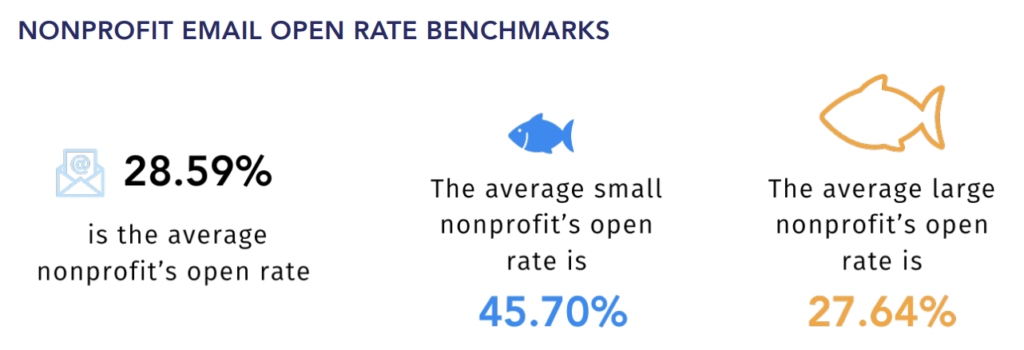
Email marketing remains one of the most effective tools for nonprofit engagement. According to Neon One’s research report, smaller organizations especially benefit from consistent email outreach, with newsletters driving increased donor retention and volunteer recruitment. Rather than creating separate content streams, repurpose your blog posts as newsletter features, adding personal context from leadership or calls-to-action specific to email audiences.
Make Your Stories Discoverable: Essential SEO Practices
Strategic SEO practices help supporters find your mission-driven content when they’re searching for solutions you provide. Search engines prioritize well-structured content, which means using proper heading hierarchies (H1 for your title, H2 and H3 for subheadings) throughout your posts.
Building credibility requires linking to authoritative external sources that support your narrative. When you reference research studies, sector reports, or expert analysis, you strengthen your organization’s position as a knowledgeable voice in your issue area.
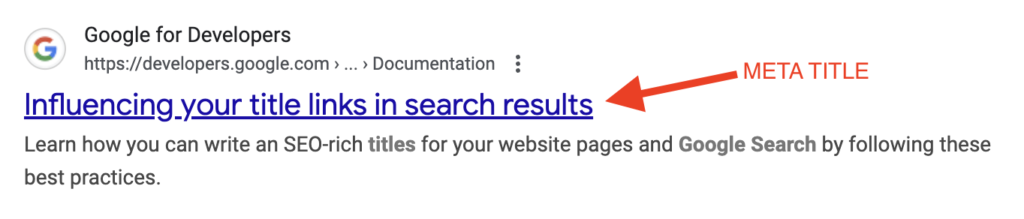
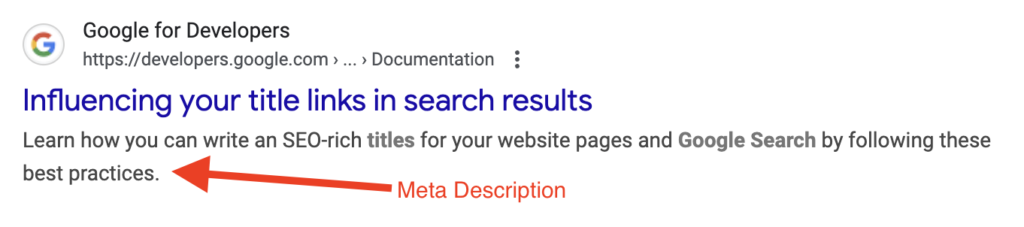
Two critical metadata elements affect search visibility:
– Title tags: Keep these under 60 characters so they display fully in search results – Meta descriptions: Aim for 150-160 characters that compel readers to click while incorporating your primary keywords
These technical elements work together to improve your discoverability, helping potential supporters find your organization when they’re looking for ways to make a difference in your mission area.
Your Nonprofit’s Blogging Action Plan
Consistent blogging serves three strategic purposes for nonprofits: building trust through authentic storytelling, maintaining donor engagement through transparency, and expanding your digital visibility to reach new supporters.
When you publish mission-focused content on your own website and optimize it for search engines, you create a pathway for people seeking to support your organization’s cause. Each blog post becomes a permanent resource that works for your mission long after publication.
Ready to strengthen your nonprofit’s digital presence? Start with one blog post per month, focusing on genuine stories that reflect your community impact. As you build momentum, your audience—and your mission’s reach—will grow.
Let’s Build Something Meaningful!
Your community deserves to understand your work. If your nonprofit’s website isn’t reaching the people you serve—whether due to language barriers, outdated design, or unclear messaging—let’s talk about closing that gap.
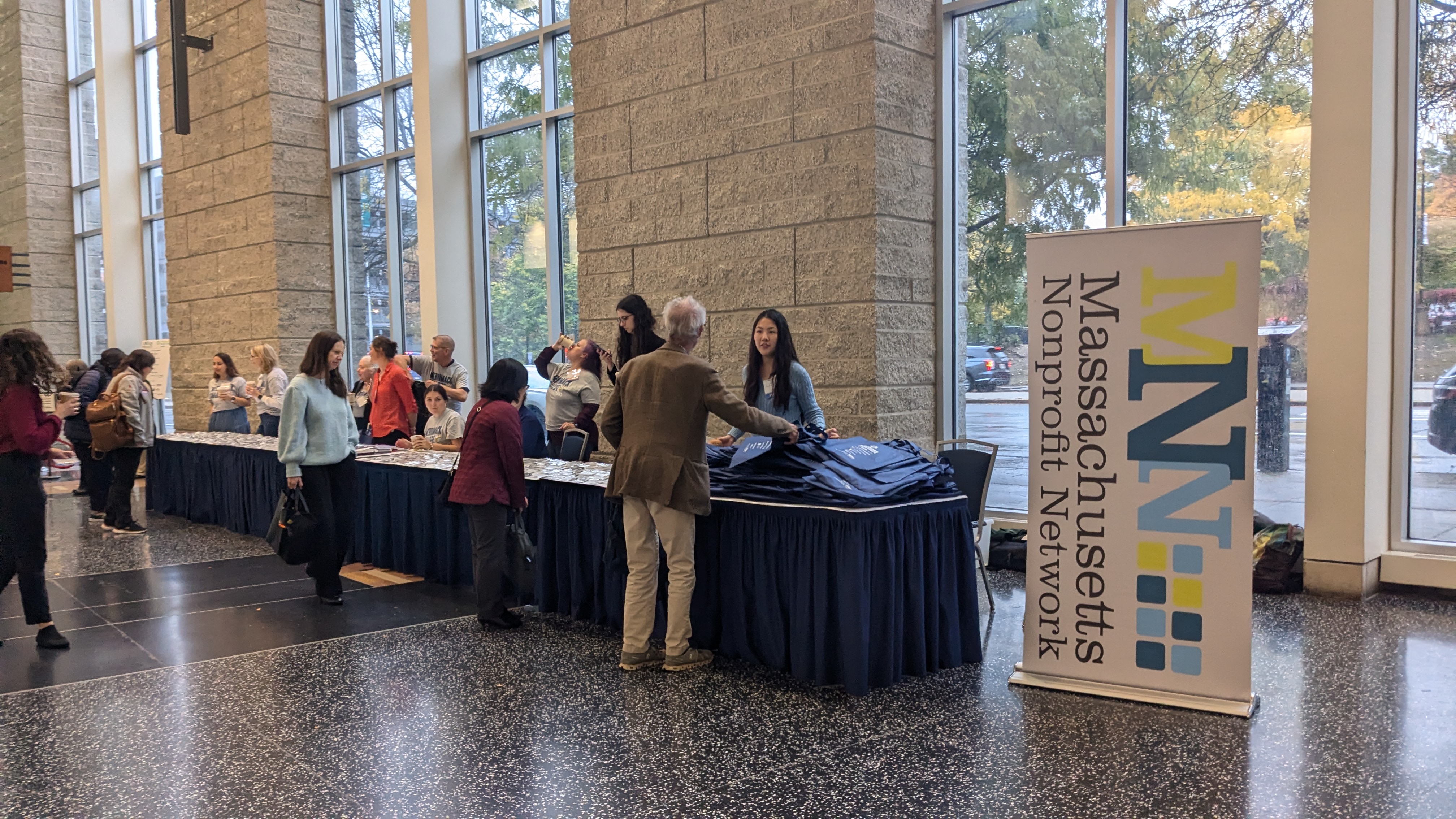
While attending the Massachusetts Nonprofit Network Excellence Awards, we noticed something important: many organizations serve communities where English isn’t the primary language. This got us thinking about how nonprofits can better reach the people they serve—not just donors, but the community members who benefit from their programs and can’t easily access information in English
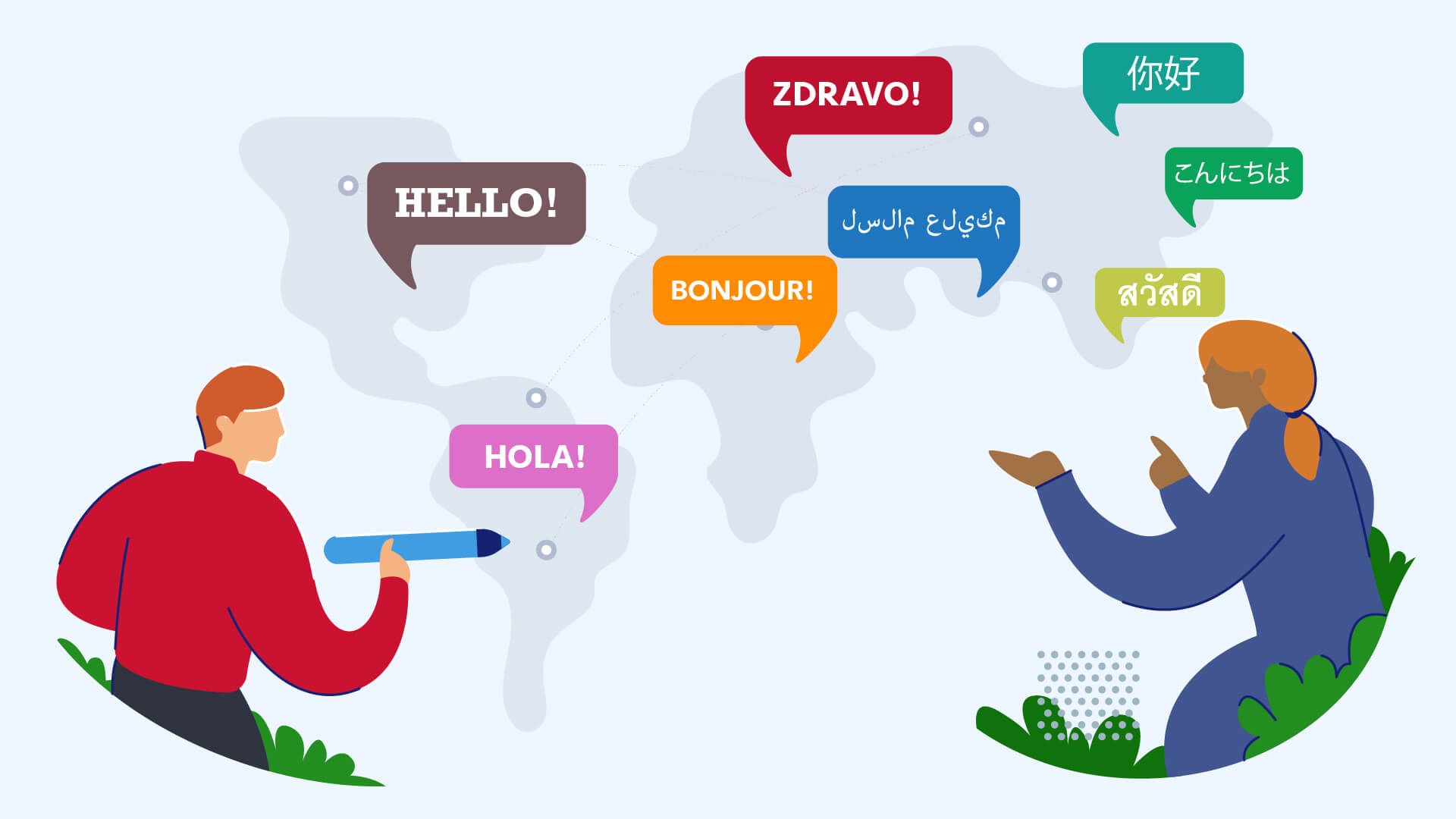
If your organization serves primarily non-English-speaking communities, how can you effectively communicate your mission and impact through your website?
Why Language Toggle Matters for Nonprofit Mission Alignment
Your nonprofit’s mission exists to serve a specific community. But here’s the uncomfortable truth: if that community can’t understand your website, your mission remains unfulfilled—no matter how thoughtful your programs are.
Many nonprofits experience mission drift without realizing it. You design programs, create impact, and measure outcomes—all in English. Meanwhile, the very people you’re trying to serve are navigating your website in confusion, missing critical information about eligibility, deadlines, or how to access help. This isn’t just a communication problem; it’s an accountability problem. How can you authentically measure impact when a significant portion of your beneficiary community is effectively invisible in your data?
Language accessibility is a mission alignment issue, not a nice-to-have feature. When you remove language barriers, something shifts: your constituents can finally engage with your organization on equal footing. They understand your programs. They know how to participate. They see themselves reflected in your digital presence. This is how nonprofits close the gap between stated mission and actual community impact.
The data tells this story clearly. Let’s look at what’s happening in Massachusetts and why language-inclusive websites are no longer optional for mission-driven organizations.
Transparency Through Numbers
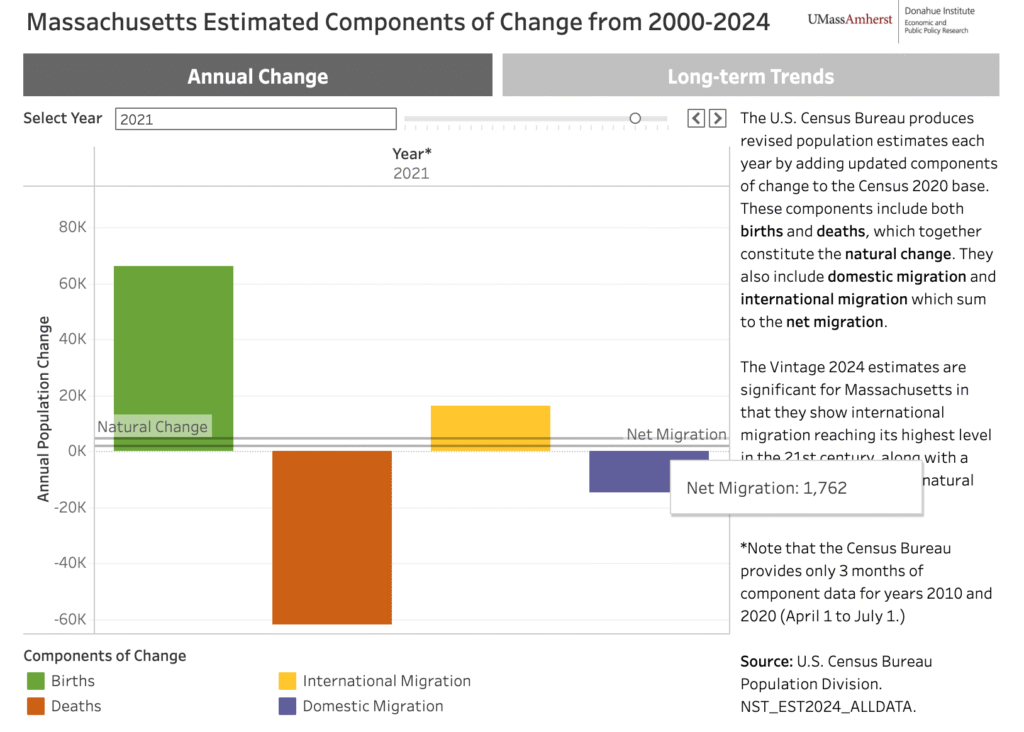
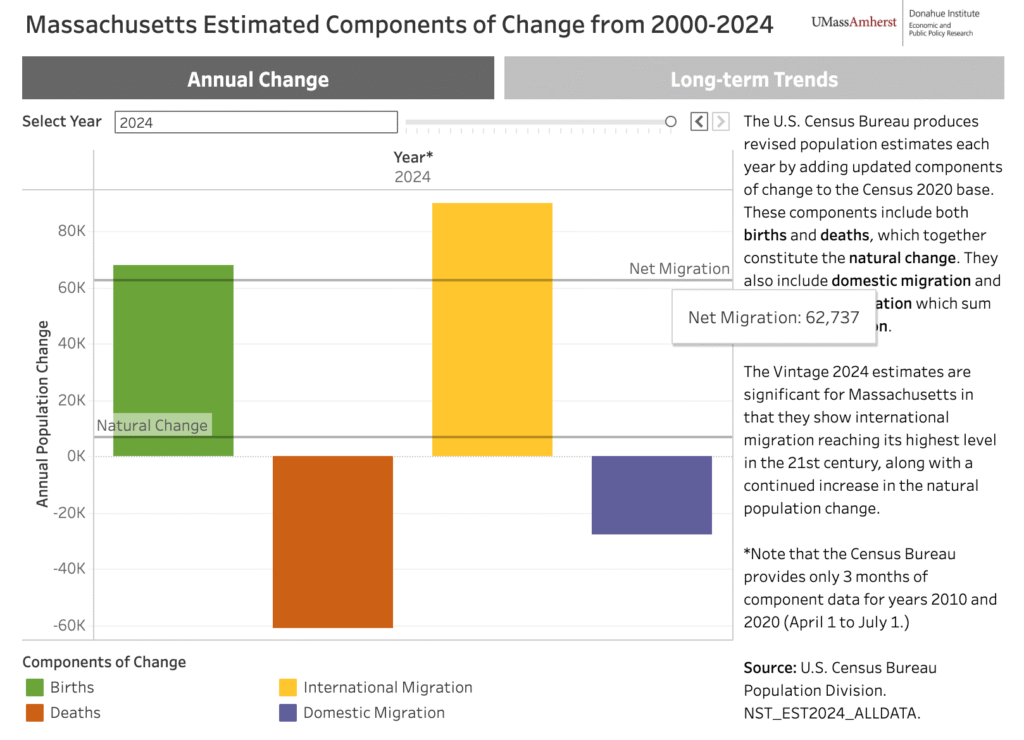
Immigration growth is woven into American history. America is a melting pot. It has been, and always will be. According to recent census data, Massachusetts experienced dramatic net immigration growth: 1,762 people from 2020–2021 compared to 62,737 from 2023–2024. Among these newcomers, many have limited English proficiency (LEP). To be safe, assume that a significant portion of your immigrant audience will benefit from language options beyond English.
net migration population chart 2021net migration population chart 2024
While there is statistical data on population growth within a community, there’s no way to detect the nationality of the viewer who visits your website. If your organization serves immigrant communities, providing content in their preferred languages removes barriers to accessing your services.
Case Study: Quincycles
Quincy, Massachusetts is a coastal city just south of Boston. Key transportation corridors (Quincy Shore Drive, Newport Avenue, and Hancock Street) intersect through the city. This city boasts the largest concentration of Asian Americans out of the entire state. The Asian community in Quincy more than doubled from 2000 to 2020, growing from approximately 13,500 to 31,282 residents. This represents a remarkable transformation in the city’s demographic composition. According to the most recent census, Quincy’s Asian population is approximately 31,282 out of a total city population of 101,636—representing roughly 31% of residents.
Over the past decade, increased bicycle and vehicle traffic has created shared-road challenges, leading to higher accident rates and, tragically, fatalities. The most recent incident occurred in September of 2023, when an 86-year-old cyclist, Wu Li Dain, was fatally struck by a car.
This alarmed the Asian community and an urgent call went out to help notify locals.
Website Project: Quincycles
Quincycles is a local bicycling advocacy group in Quincy, Massachusetts. Their mission is to create a community ride group that plans events, provides education, and advocates for bicycle infrastructure in the city.
When we first spoke with their president, Steve McLaughlin, about the bicycling safety guidelines that they provide, we wanted to know if the Asian community was aware of the information. They were aware of the cycling incidents that occurred in the last decade along with the most recent death. However, their website’s information wasn’t accessible through an alternative language.
Understanding this gap, we proposed redesigning their website to ensure the Asian community could access these critical safety guidelines.
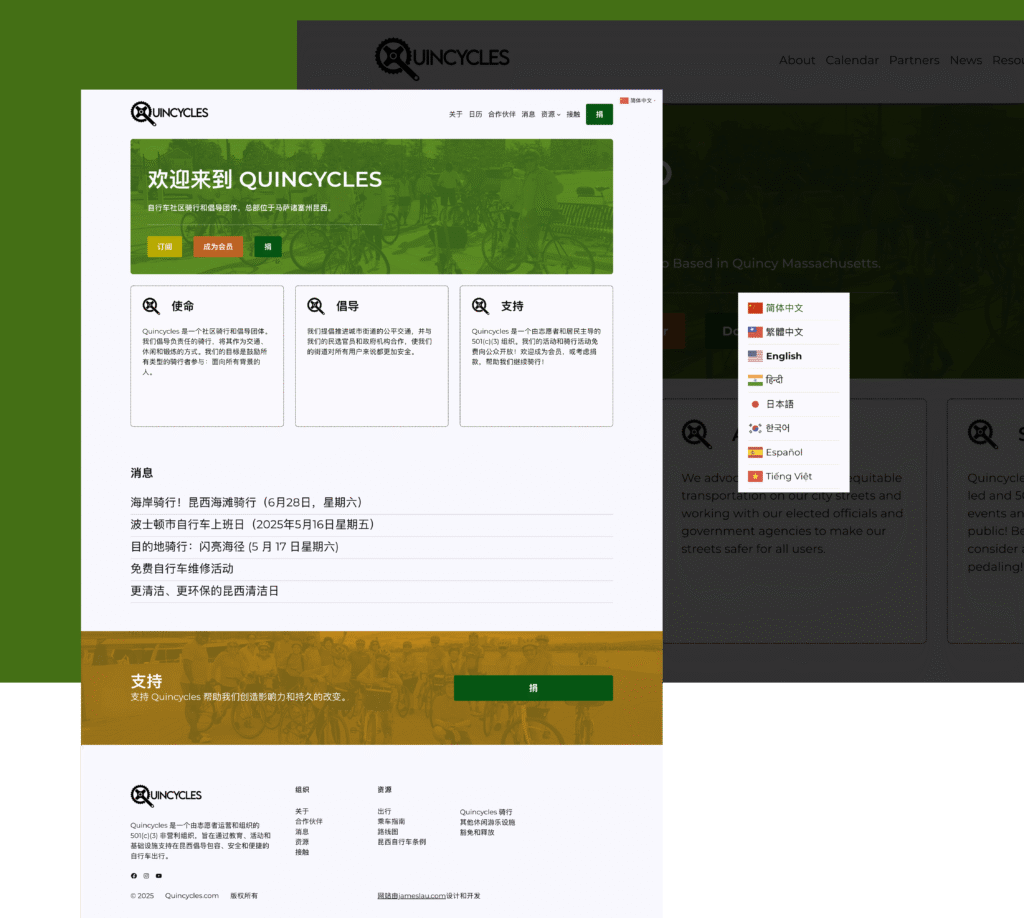
During the wireframe phase, we positioned the language toggle in the header and main navigation—an ideal location that remains visible across all devices. This placement ensures easy access on desktop, tablet, and mobile screens.
Through clear visual cues, users now have full access to content in their preferred language.
Language Toggle Options
Not all website publishing platforms are created equal. Most platforms require downloading language extensions unless the capability is built-in. The first three platforms are open source technology. This means you’re not tied to a proprietary subscription. You can move your content and assets freely between databases and hosting providers.
Open Source Technology
WordPress is by far the most popular and versatile content management system out there. Nearly 40% of all websites out there, run on WordPress. This platform comes barebones once installed, and that is by design. Automattic – the parent company of WordPress – wants you to keep the core system file size small. Add only the features you need from its extensive third-party plugin library. Such popular plugins are: Weglot, WPML, TranslatePress, and GTranslate.
Another popular content management system is Drupal. Though heavier in file size, Drupal includes built-in modules that justify the additional weight. Drupal includes built-in modules (or extensions) preinstalled because they’re used frequently. The tradeoff: additional setup steps are required to activate them.
Our last choice is Joomla. This system has built-in multilingual capabilities, much like Drupal. As of this writing, Joomla 6 has an extensive library of languages to choose from. You need to download and install the specific language(s) needed for your website.
Proprietary Software
Squarespace has been around for well over 15 years now. They are their own system. You’re paying a monthly subscription for cloud-based services. Your hosting, domain name registration, file infrastructure are all managed by their support team. Squarespace uses Weglot for multilingual support, but you’ll need a paid Weglot plan if your website traffic exceeds their free tier threshold.
Webflow, launched in 2013, offers a tier-based localization system. The entry-level plan includes three locales, with additional languages requiring higher-tier pricing. Nonprofits should calculate long-term costs based on their community’s language needs.
Lastly, Wix is a popular proprietary platform for web publishing. You can add multilingual support through their app store, though premium translation features require tiered plans. Review third-party app features and pricing before committing to a monthly subscription.
Conclusion
Language barriers prevent communities from accessing vital information. Everyone deserves equal access to your organization’s content and services. Making information accessible is a fundamental human right—and essential to nonprofit mission alignment.
The organizations we met at the Massachusetts Nonprofit Network Excellence Awards understand something powerful: their mission isn’t just what happens in programs—it’s also how they show up digitally. Quincycles proved this. By adding a language toggle, they transformed their website from a barrier into a bridge. Suddenly, the Asian community in Quincy could access the safety information they desperately needed. The organization’s impact expanded not because their programs changed, but because their digital presence finally reflected their true mission.
Language-inclusive websites aren’t an afterthought. They’re a strategic investment in accountability. When your community can understand your work, you can truly measure impact. When your beneficiaries can navigate your programs independently, you’re honoring both their dignity and your mission.
The technical barriers are gone. WordPress, Drupal, Joomla, Webflow, Squarespace, Wix—every platform offers solutions. The only question left is: which communities will your nonprofit finally reach?
Let’s Build Something Meaningful!
Your community deserves to understand your work. If your nonprofit’s website isn’t reaching the people you serve—whether due to language barriers, outdated design, or unclear messaging—let’s talk about closing that gap.
In the web agency space, we’re always juggling various projects at any given time. The primary person at the helm managing traffic flow is the project manager. They manage communication between clients and internal team members, plot Gantt charts to help space out different milestones from start to finish, and keep teams on track to ensure we hit project checkpoints on time and on budget.
But what about a nonprofit organization? This responsibility typically falls to the communications director, marketing manager, or development manager. Does your team member have everything prepared for website development from start to finish? Do they have what is essentially a flight plan?
What is a flight plan? We’re borrowing the definition from air traffic controllers. It’s essentially a list of tasks that’s needed to be checked off before flight. That may sound simple, but there is a lot of work that goes underneath before the plane is even allowed to take off.
Flight plans are documents filed by a pilot or flight dispatcher with the local Air Navigation Service Provider (e.g., the FAA in the United States) prior to departure which indicate the plane’s planned route or flight path.
When we work with clients we make sure there is a flight plan setup so that the project will hit the time and budget goals as stated in our initial proposal.
Let’s go over some of these tasks in detail.
Website Project Planning: Essential Setup Tasks
Discovery, Requirements Gathering and Market Research
At the beginning of every project, we need to conduct a discovery phase that encompasses interviews and workshops with organization members. This includes executive directors, board members, perhaps some people from the development team to help us better understand the organization’s brand, mission and vision, and targeted beneficiaries.
Gather stories, documentation, photos, videos, and other written content. We have to then allocation for budget, timeline, and technical requirements before we can hand off the work to our project manager.
Simultaneously, research competitors’ websites and industry best practices to identify opportunities for differentiation and understand user expectations within the market context. This ensures requirements are informed by both internal stakeholder needs and external market realities.
Site Architecture & Information Architecture (IA)
Create a sitemap that outlines the website’s structure, including all pages, sections, and their hierarchical relationships. Develop a content taxonomy and navigation structure that ensures users can easily find information. This often includes card sorting exercises and user flow diagrams.
Technical Specification & Platform Selection
Define the technical stack, hosting requirements, CMS selection, third-party integrations, security requirements, and scalability needs. Document technical constraints, browser/device support requirements, and any legacy system integrations needed.
Project Scope & Timeline Definition
Create a detailed project plan with clear milestones, deliverables, and deadlines. Define what’s in scope and out of scope to prevent scope creep. Establish the project phases (design, development, testing, launch) with realistic timelines for each.
Budget & Resource Allocation
Determine the project budget and allocate resources accordingly. Identify team members needed (designers, developers, content writers, QA testers) and their availability. Account for contingency budget for unexpected challenges.
Content Strategy & Planning
Develop a content plan that identifies what content is needed, who will create it, and when it’s due. This includes copywriting, imagery, video, downloadable resources, and any migrated content from existing sites. Create a content matrix mapping content to pages.
Wireframing & Prototyping
Create low-fidelity wireframes that establish layout, content hierarchy, and functionality before investing in visual design. This allows for early feedback on user experience and site structure without the distraction of colors and imagery.
Success Metrics & Analytics Planning
Define key performance indicators (KPIs) and how they’ll be measured. Set up analytics tracking requirements, conversion goals, and establish baseline metrics if redesigning an existing site. This ensures you can measure ROI post-launch.
Risk Assessment & Mitigation Planning
Identify potential risks (technical challenges, resource availability, third-party dependencies, content delays) and develop mitigation strategies. This proactive approach helps avoid project delays and budget overruns.
Let’s Build Something Meaningful!
Your community deserves to understand your work. If your nonprofit’s website isn’t reaching the people you serve—whether due to language barriers, outdated design, or unclear messaging—let’s talk about closing that gap.
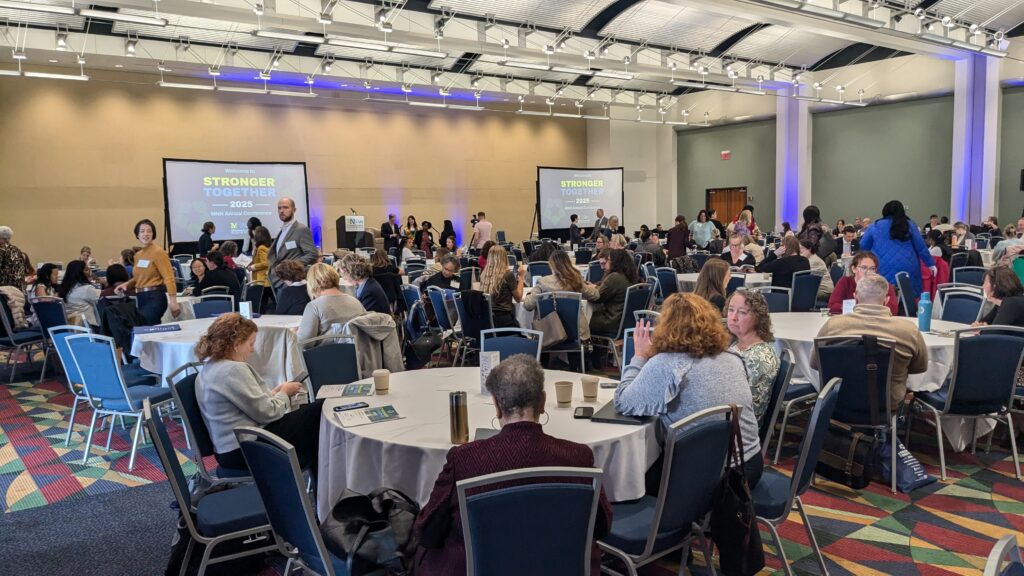
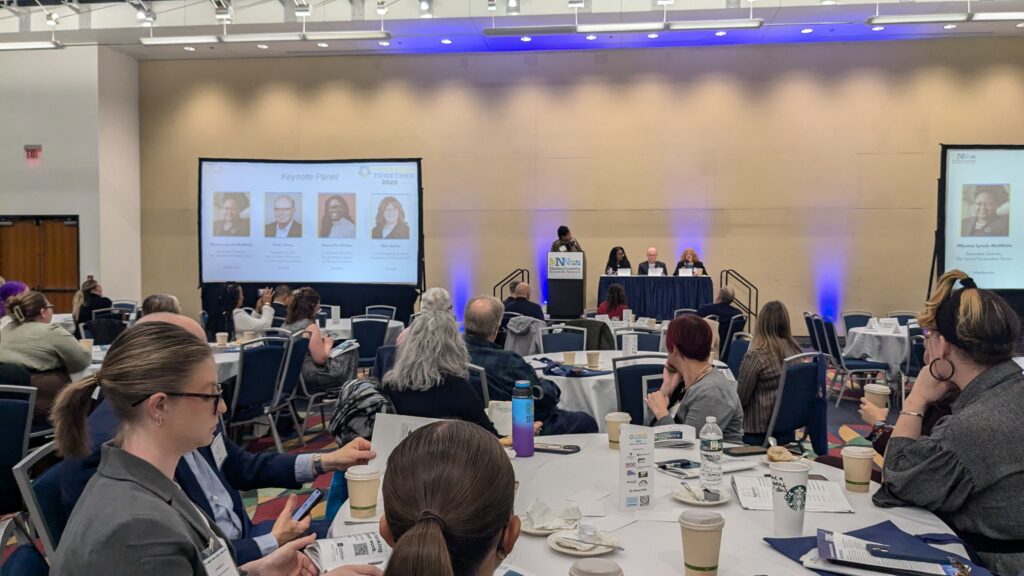
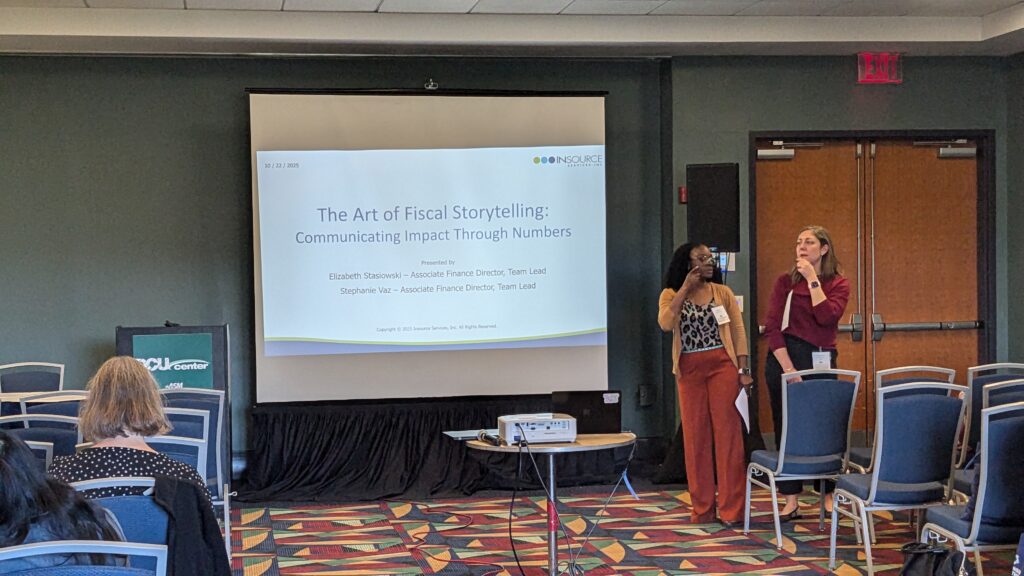
Conferences offer invaluable opportunities to forge relationships, discover collaborators, and create meaningful community impact. The 2025 Massachusetts Nonprofit Network Conference delivered on all fronts—and as first-time attendees, we gained insights we never expected.
Let’s dive into some of the highlights.
A Thriving Community of Nonprofit Organizations
As affiliate members of the Massachusetts Nonprofit Network, we’ve witnessed the pulse of Massachusetts’ nonprofit landscape from a unique vantage point. What we observed at this year’s conference was nothing short of inspiring.
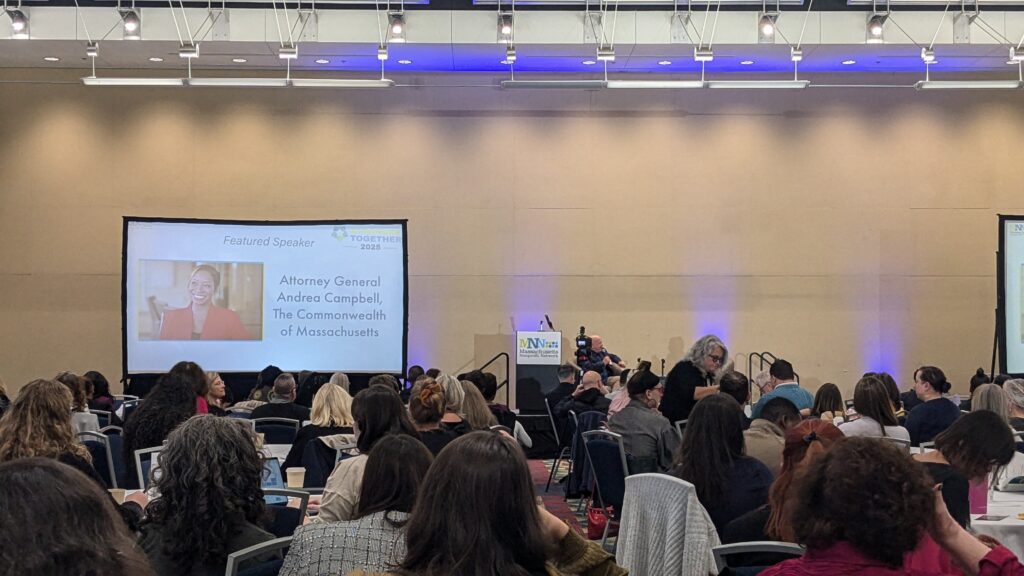
Despite economic headwinds and policy uncertainties that have forced some organizations to close their doors, the 600+ attendees who packed the DCU Center’s main ballroom demonstrated unwavering commitment. Several participants drove three hours from Maine for this one-day event—a testament to the sector’s dedication.
Rather than panic, we sensed determined focus. Organizations are definitely being more strategic about their milestone goals and the message was unanimous: vulnerable communities need support, and these professionals won’t abandon their mission.
The exhibition hall were filled with sponsors offering everything nonprofits need to thrive: grant writing expertise, legal counsel, banking services, videography, marketing support, and HR resources. The collaborative atmosphere reflected the sector’s spirit—everyone eager to share knowledge and tools.
Workshop Sessions
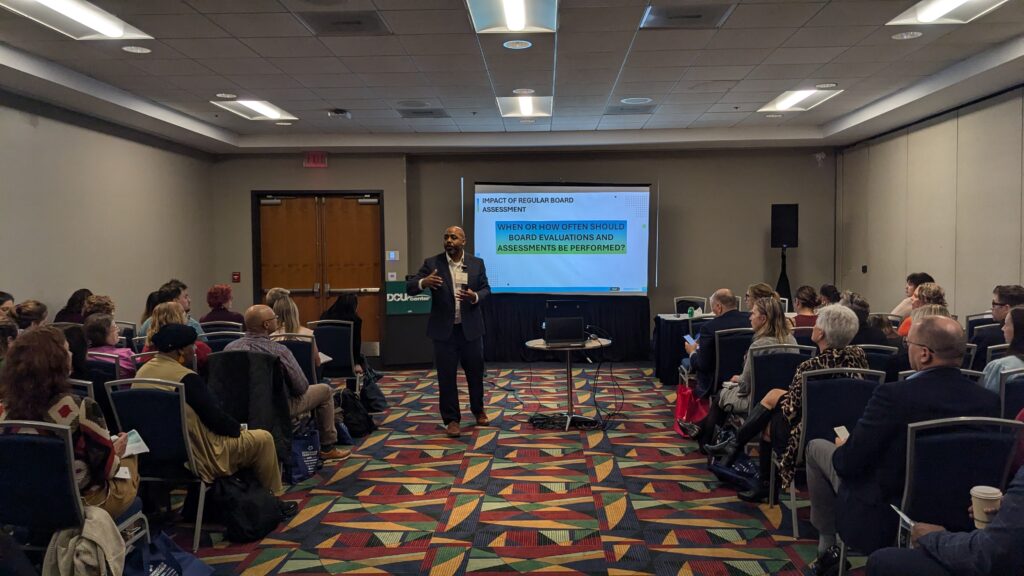
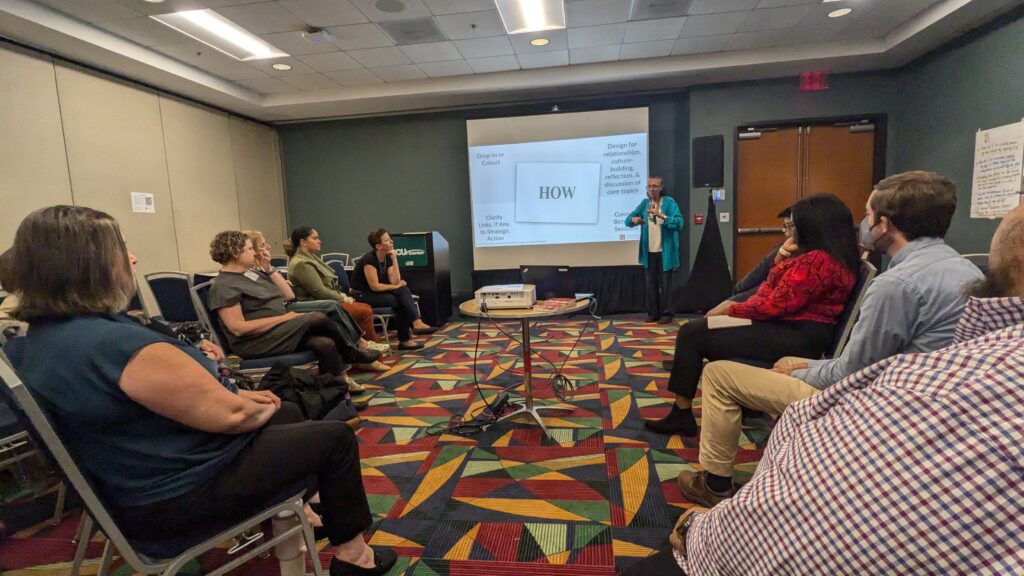
Adjacent to the sponsor exhibition area, dedicated workshop rooms hosted specialized educational sessions. Industry experts and seasoned practitioners shared targeted insights designed to address key operational challenges facing nonprofit organizations.
The workshop sessions covered essential topics including financial management, stakeholder communications, fundraising and donor retention strategies, and program development—among other critical competencies for nonprofit success.
Featured Speaker: Massachusetts Attorney General, Andrea Campbell
One of the highlights during this year’s conference was a talk given by the Massachusetts Attorney General, Andrea Campbell. Her talk was motivating and inspiring. She gave us the inside scoop on the good fight she’s been waging at the State House. Apparently, there are over 40 lawsuits filed against the state, but they are winning them slowly, one-by-one. “We are making sure the funds will keep flowing to those organizations that are in need.”
Conclusion
Overall the experience was wonderful. This would be our first conference outside of the usual tech and marketing conferences. Our niche is to work with nonprofits, and this was one great way to stay connected with that community.
Hope to see everyone again at the next Massachusetts Nonprofit Network conference!
Let’s Build Something Meaningful!
Your community deserves to understand your work. If your nonprofit’s website isn’t reaching the people you serve—whether due to language barriers, outdated design, or unclear messaging—let’s talk about closing that gap.
Your Origin Story: The Foundation of Nonprofit Trust
Every nonprofit has a mission to share, but when someone asks about your origin story, are you ready to deliver more than a history lesson? Your story is what makes your organization unique. Unlike businesses selling products, you’re creating emotional connections through meaningful narratives.
Your origin story is one of your most valuable assets for building supporter trust. While testimonials demonstrate your ability to deliver results, your origin story goes deeper—it reveals not just what you do, but why you exist.
A Three-Part Structure Built on Authenticity
An effective origin story follows three key elements that communicate how your organization began and the problem you solve:
Introduction: What moment sparked your organization’s founding? Who were the founders, and what personal experiences compelled them to act?
Catalyst: What gap or need did they discover? What problem became impossible to ignore?
Resolution: How is your organization uniquely positioned to address this challenge?
Authenticity resonates most powerfully with audiences. Share genuine stories reflecting real experiences—avoid embellishment. Humanize your cause by highlighting personal experiences of founders or early members with specific details. Don’t shy away from vulnerability and challenges; these moments make your story relatable and memorable.
When audiences see the real struggles and pivotal events behind your founding, they understand your organization emerged from genuine need, not abstract ideation.
Complement your narrative with archival photos, videos, and documents. Whether it’s footage from your first meeting or an early handwritten mission statement, these artifacts bring your story to life in ways words alone cannot. As they say, “an image is worth a thousand words.”
Building Trust Through Transparency
Your story must speak to two audiences: recipients who need your services should see themselves in your narrative, while donors need to understand how their contributions create meaningful impact. You’re building a bridge between those who give and those who receive.
Key trust-building elements include:
Consistency: Your current mission aligns with your founding purpose
Integrity: You’re honest about the challenges that inspired your work
Credibility: Real people with real experiences created something meaningful
Uniqueness: No other organization shares your exact story or perspective
From Story to Action
The most effective origin stories don’t just inform—they inspire action. People connect deeply with personal narratives highlighting individuals directly affected by your work. Your story should position supporters as partners continuing the transformative work that began at your founding.
Remember: your origin story isn’t ancient history—it’s the living reason you serve your community every day. When told authentically, it becomes the emotional foundation for every relationship your nonprofit builds.
Now share your story with confidence.
Let’s Build Something Meaningful!
Your community deserves to understand your work. If your nonprofit’s website isn’t reaching the people you serve—whether due to language barriers, outdated design, or unclear messaging—let’s talk about closing that gap.